The warnings this fixes



You should never see these on a Smile address. Do not click through them.
Internal Smile sites — the wiki, the helpdesk, and all resources on
.intranet — are secured with Smile's private Certificate Authority (CA).
Your device must be configured to trust this root certificate once. After that,
security warnings will stop appearing for all internal Smile services.
If your browser warned you on the way to this page, stop and ask the IT department. This page is served with the same certificate, so a warning here means something is wrong that installing a file will not fix.
Download smile-root-ca-g2.crt — one file, the only one you need. Valid until 30 December 2029.
Verify what you downloaded matches what we published. SHA-256 fingerprint:
FC:E0:92:73:9A:2D:FA:C7:7E:89:D2:28:A6:68:C7:F6:A9:3C:E5:54:A0:27:C9:97:6C:A2:F0:A8:31:70:20:7B
Note: If you installed this certificate before September 2026, please install it again. It was renewed with the same key, and the new file replaces the old entry.
You should never see these on a Smile address. Do not click through them.
On Windows, system-level certificate trust is shared across Microsoft Edge, Google Chrome, and other native applications.
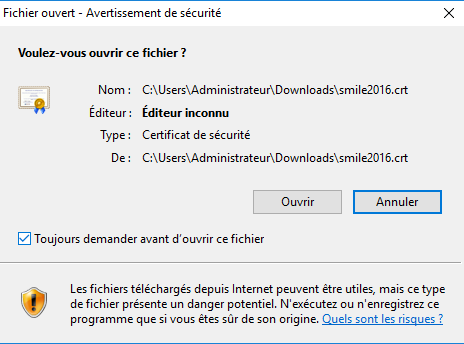
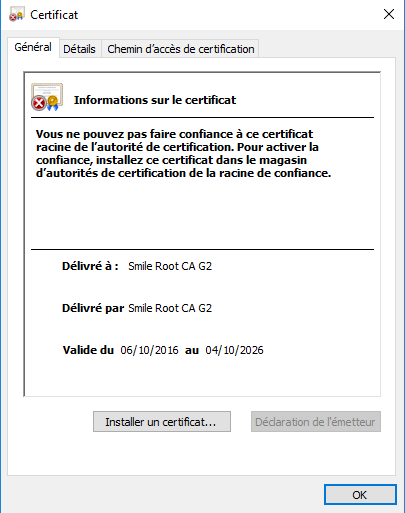
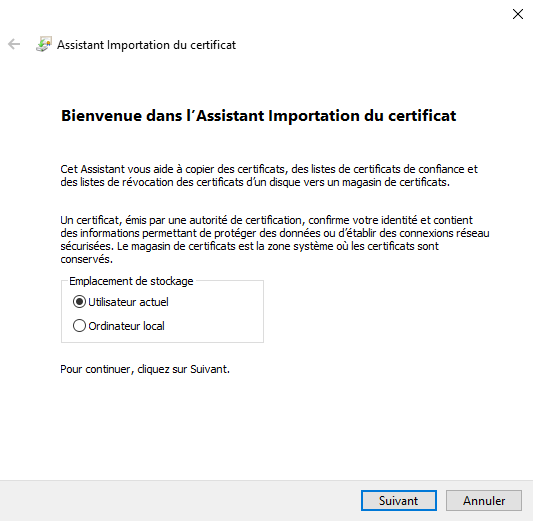
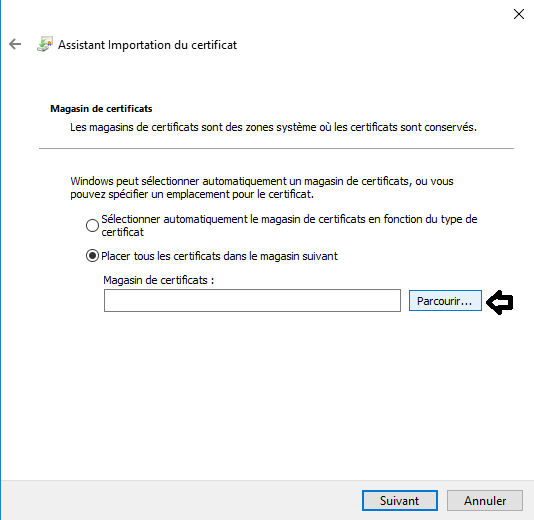
Open the downloaded smile-root-ca-g2.crt file and follow the import wizard.
The one step that matters: place the certificate in Trusted Root Certification Authorities, not wherever Windows offers by default.
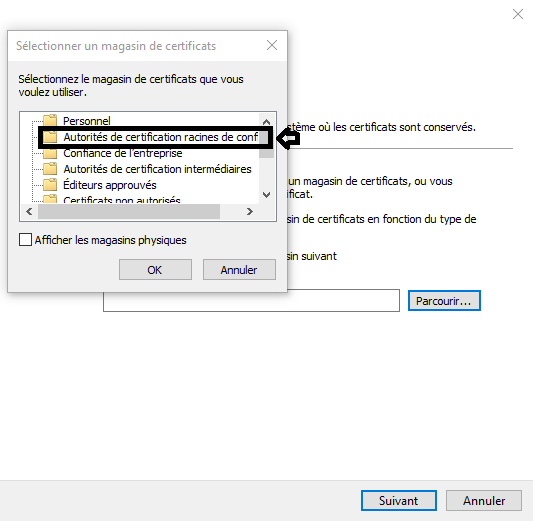
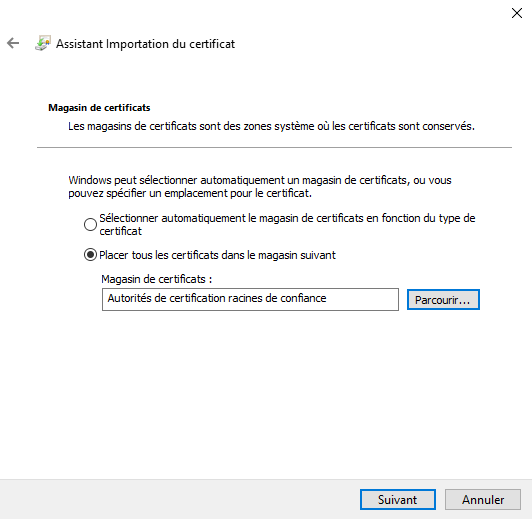
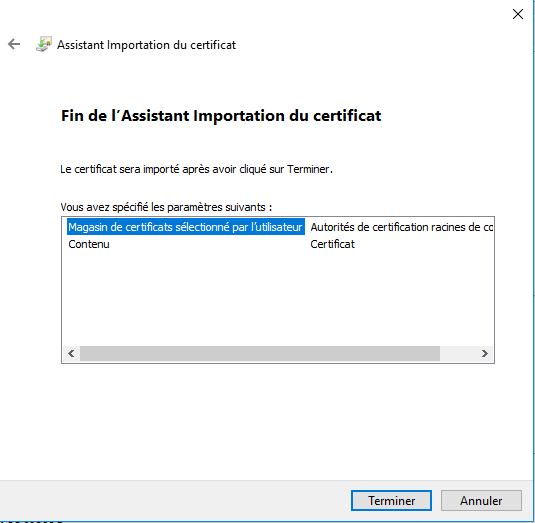
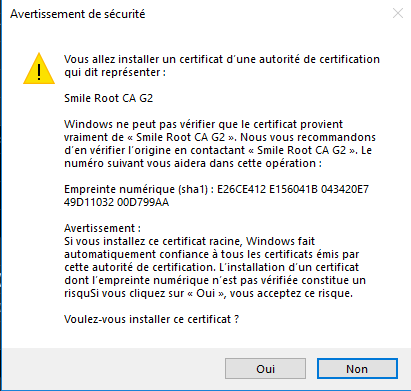
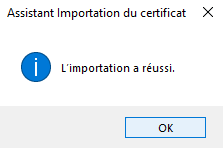
Once completed, close every browser window and open it again.
Nothing to download. The certificate arrives automatically via the smile-ca package and stays current on its own.
If a Smile site still warns you, the machine is not receiving updates. Run the two commands from Setting up or updating a machine on the wiki — they will fix package updates as well as the certificate.
Download smile-root-ca-g2.crt and install it into your system trust store:
Debian / Ubuntu / derivatives:
sudo cp smile-root-ca-g2.crt /usr/local/share/ca-certificates/
sudo update-ca-certificates
RHEL / CentOS / Fedora:
sudo cp smile-root-ca-g2.crt /etc/pki/ca-trust/source/anchors/
sudo update-ca-trustsmile-root-ca-g2.crt.Open Keychain Access and drag & drop the downloaded file into the login (session) or System keychain.
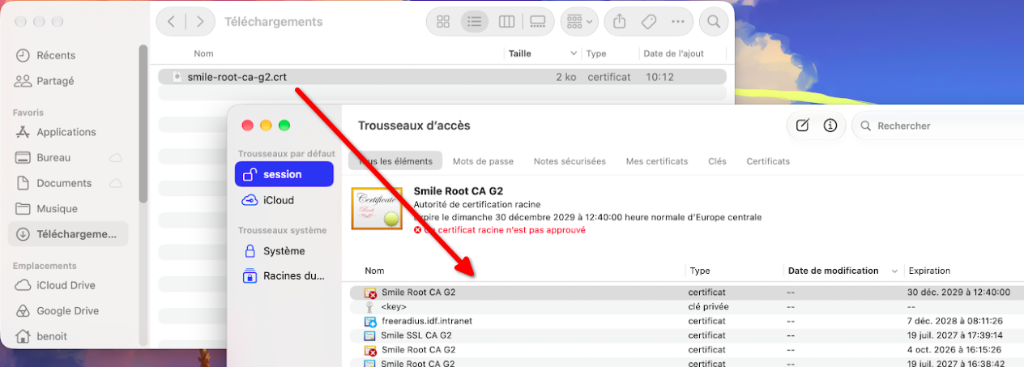
Find Smile Root CA G2 in the list and double-click it. Expand the Trust section and set When using this certificate (or Secure Sockets Layer (SSL)) to Always Trust (Toujours approuver).
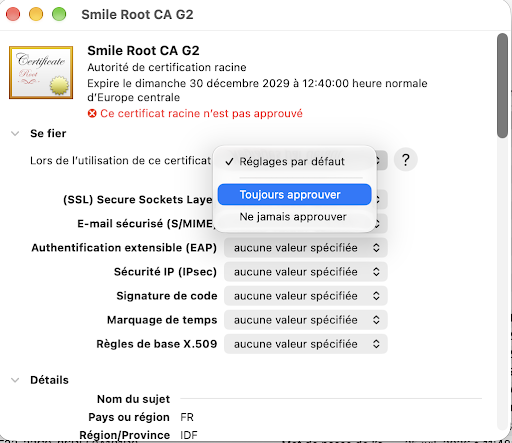
You can also install and trust the root certificate in one command:
sudo security add-trusted-cert -d -r trustRoot -k /Library/Keychains/System.keychain smile-root-ca-g2.crtMost modern web browsers (Safari, Chrome on macOS/Windows, Edge) automatically use the operating system trust store configured above. Some browsers maintain or support their own independent certificate stores:
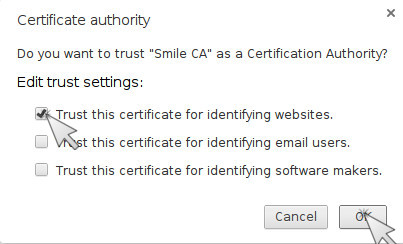
Firefox maintains its own certificate list. Open the downloaded file in Firefox (or go to Settings > Privacy & Security > Certificates > View Certificates... > Authorities tab > Import...) and tick Trust this CA to identify websites.
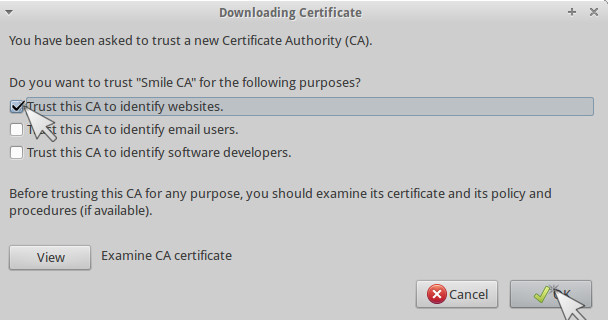
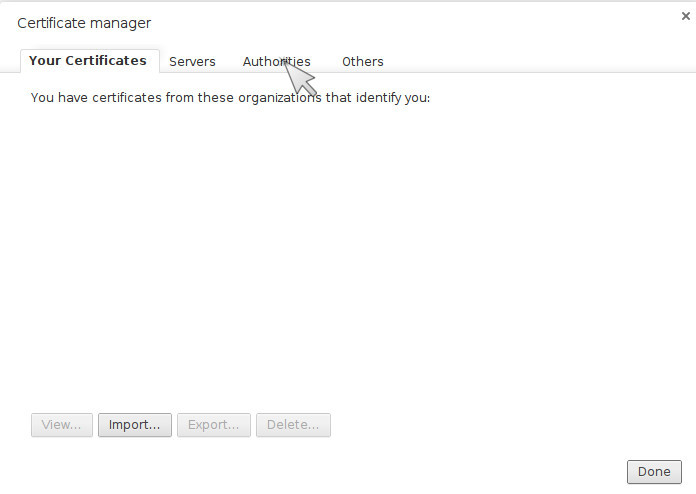
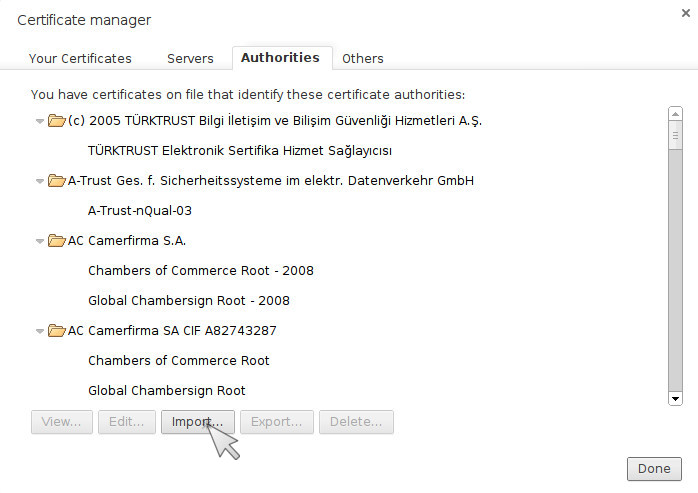
If your browser does not use the system store directly, navigate to chrome://settings/certificates, open the Authorities tab, choose Import, and select the file you downloaded.
Install the root certificate directly into the system trust store:
Linux:
curl -fsSLo /usr/local/share/ca-certificates/smile-root-ca-g2.crt \
     https://pki.smile.fr/smile-root-ca-g2.crt
update-ca-certificates
Windows (elevated prompt):
certutil -addstore -f Root smile-root-ca-g2.crtmacOS (Terminal):
sudo security add-trusted-cert -d -r trustRoot -k /Library/Keychains/System.keychain smile-root-ca-g2.crtA server that presents its own certificate also needs the issuing intermediate in its chain — smile-chain-g3.pem holds the intermediate and the root together. Server certificates are issued over ACME from the internal CA; ask the DSI team for the directory URL and the role for your DNS zone.
The remaining files here are for specific cases — historical names kept for automation that still uses them, and the previous issuing CA. They are described on the wiki: Smile Certificate Authority. Checksums for everything served here are in SHA256SUMS.